Video-first sorting
Sort large MP4 collections, screen recordings, and exported clips into real destinations while keeping preview context.
Browse, Sort & Compress Media
FrameSweep is a Mac app for browsing, playing, and organizing your local video and image folders — without importing anything into a separate library. Point it at any folder and instantly scan thumbnails, preview and play videos in place, sort keepers into categories, and compare duplicate candidates side by side. While you organize, you can also reclaim space. Compress video to HEVC/H.265 with VideoToolbox, re-encode images to JPEG or WebP, and inspect every converted output before deciding what to keep, move, or send to the macOS Trash. FrameSweep Pro can enable AI review. AI review generates tag suggestions and captions you can use for search and sorting. Local AI Mode connects to LM Studio, Ollama, or OpenAI-compatible APIs so you can analyze images locally without sending them anywhere. A video repair feature can also help recover damaged files.
Usage guide, shortcuts, FAQ, support, and privacy policy live here. FrameSweep downloads and purchases are handled only through Apple's Mac App Store.
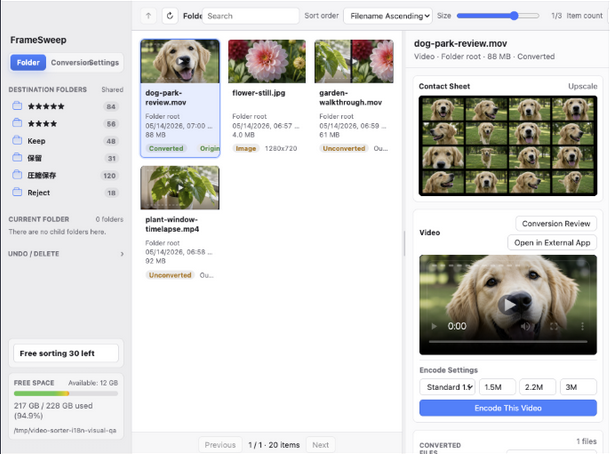
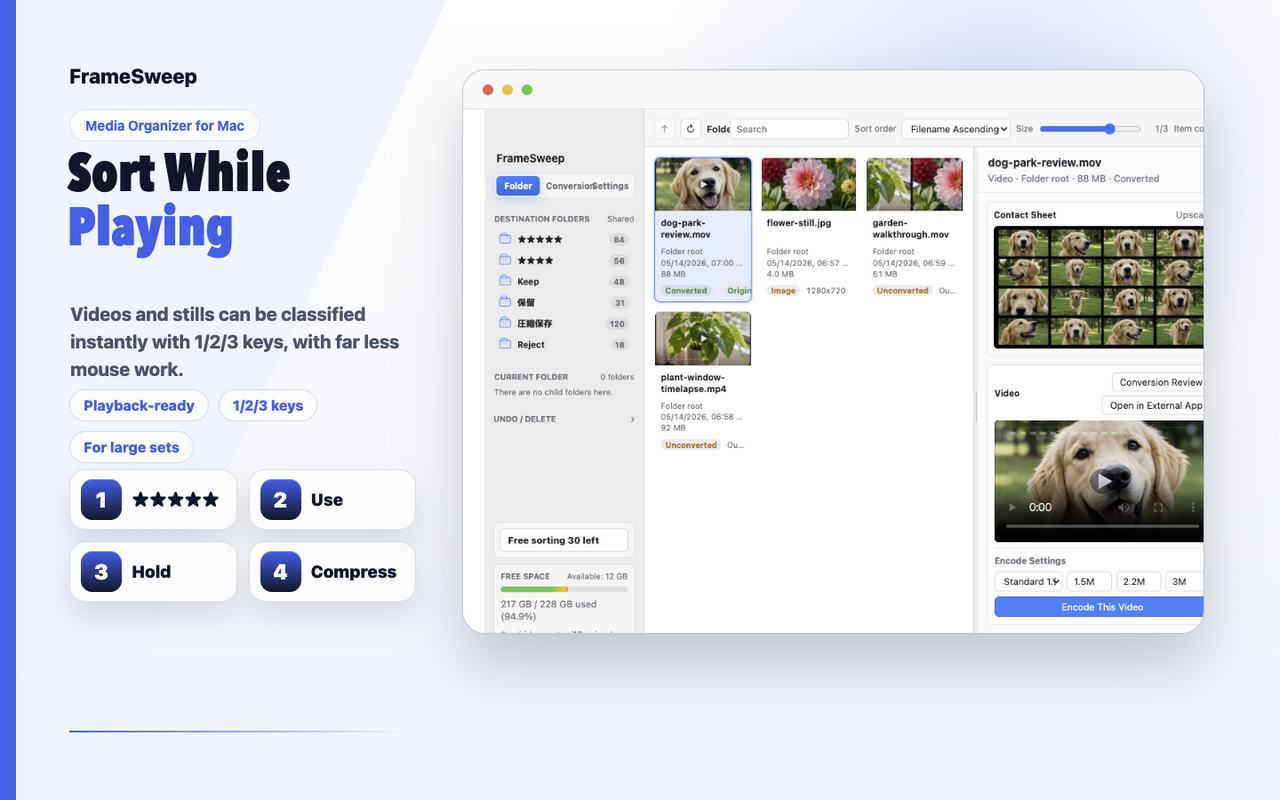
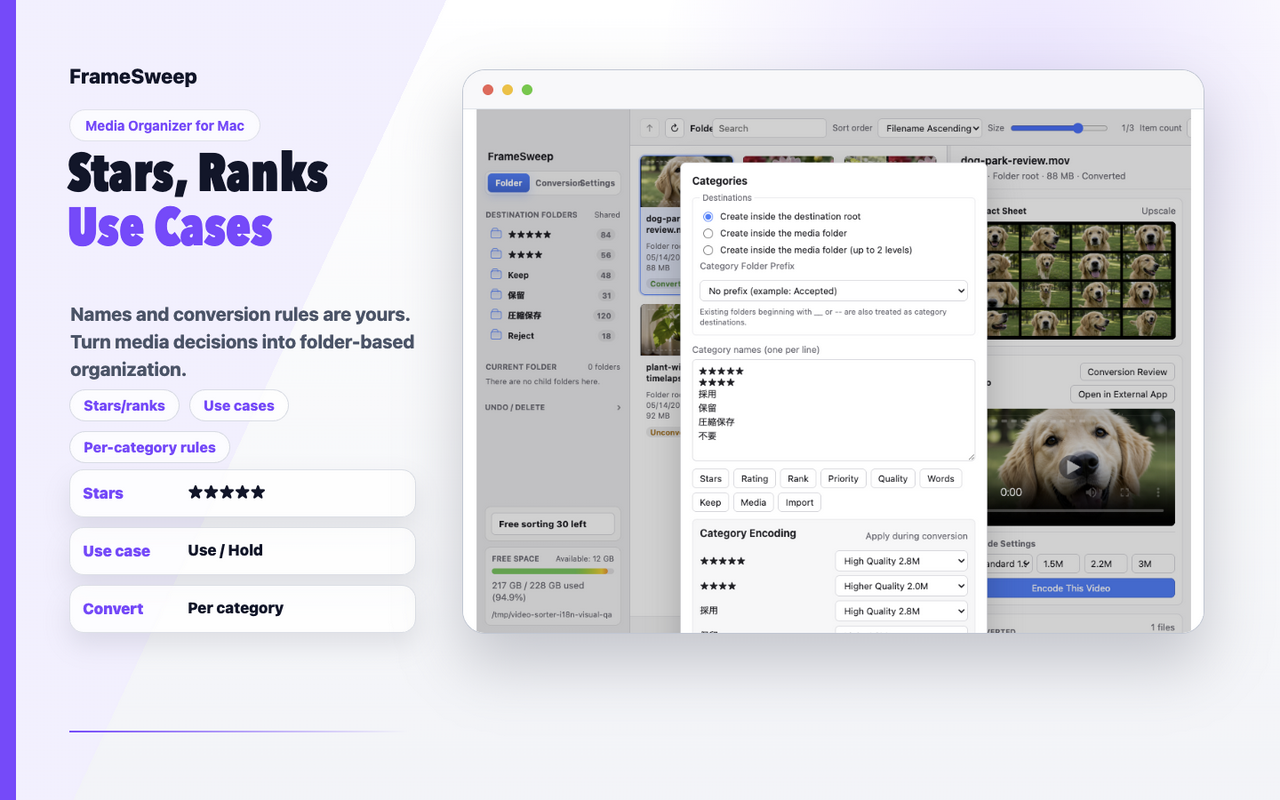
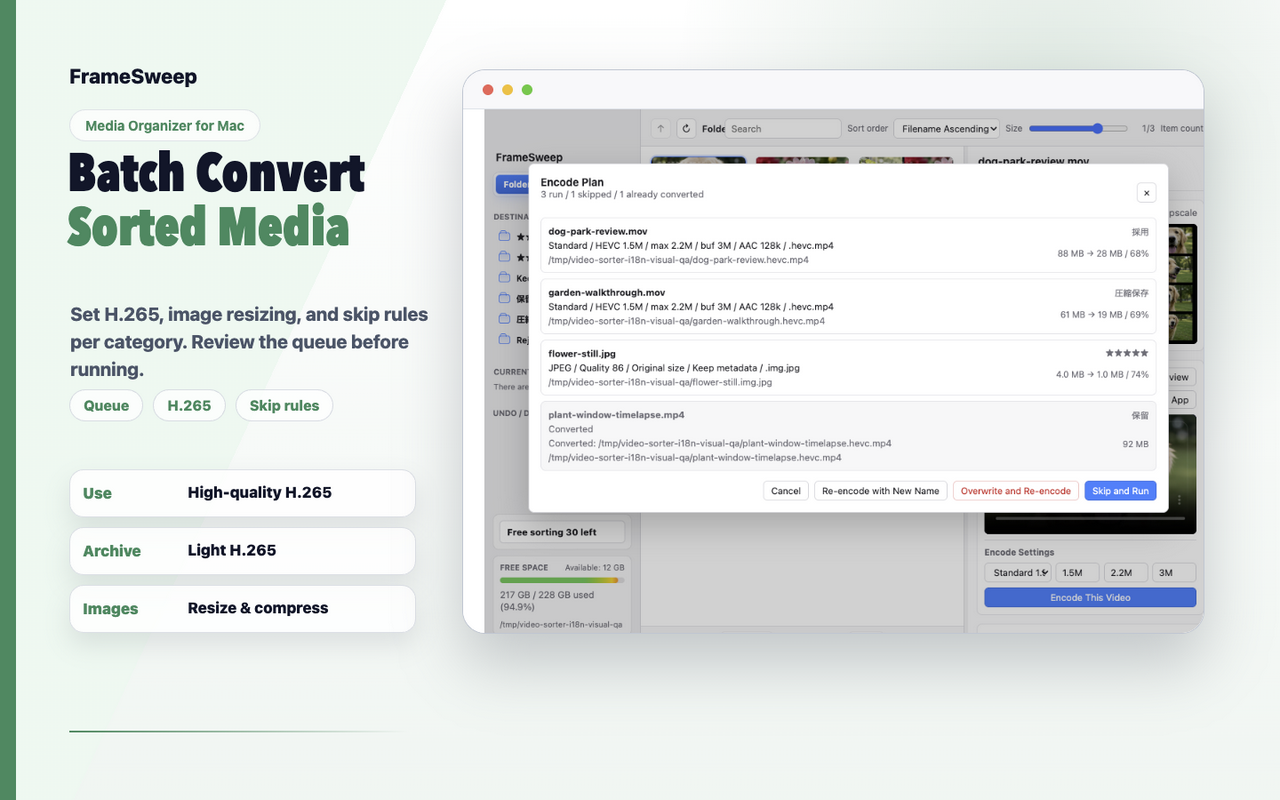
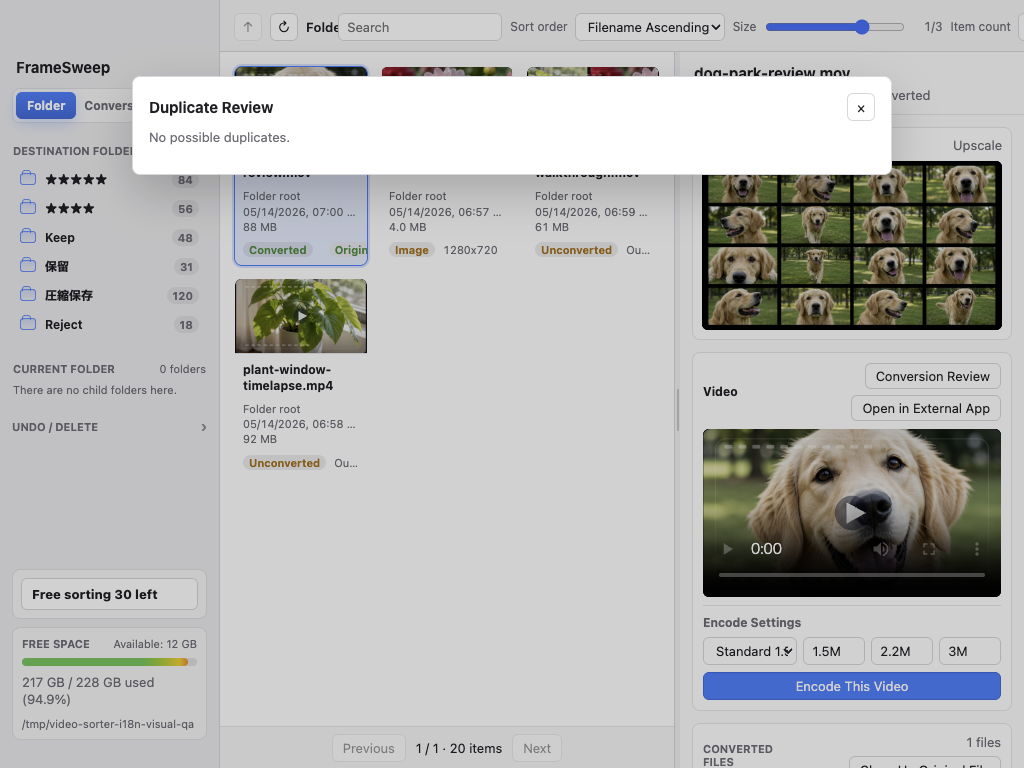
Load video and photo files by folder, then keep your cleanup close to normal file management. Move keepers into destination folders, compress files when size matters, or send unwanted files to Trash.
Load video and photo files from the location you choose. Files stay on your Mac, and no account or cloud sync is required.
Use thumbnails, playback preview, and contact sheets to move the files you need into destination folders.
Compress videos you still want to keep with HEVC (H.265), and re-encode images to JPEG/WebP.
Move files you no longer need to the macOS Trash after review, without immediate permanent deletion.
FrameSweep is not a bulk-delete tool. It is a review-first workflow for seeing what you have, reducing file size when useful, and cleaning up only after that.
Sort large MP4 collections, screen recordings, and exported clips into real destinations while keeping preview context.
Compress videos to HEVC, convert images to JPEG/WebP, and review outputs before cleanup.
Review files with similar names or visual matches, then inspect converted outputs before deciding what to clean up.
Create contact sheets for portrait images and review vertical videos without losing context. It is suited to phone-shot media, social clips, and mixed-orientation folders.
When reviewing hundreds of files, keyboard control keeps the flow moving: play, navigate, sort, seek, reject, and undo.
Start with a small set of files. You can learn the preview and output-review flow before moving files or using Trash actions on larger batches.
Pick the location that contains the videos or photos you want to clean up. FrameSweep builds the list and previews from there.
Create destination folders with names that match your workflow, such as Keep, Review Later, or Compressed Archive.
Use search, card sizing, duplicate candidates, and contact sheets to narrow the files that need attention.
Use contact sheets to inspect portrait images, and keep vertical video review, playback, and moving in the same workflow.
Compress videos you still want to keep with HEVC, or re-encode images to JPEG/WebP after checking the batch plan.
Inspect converted files and continue cleanup only when the output quality and content look right.
Move files you no longer need to the macOS Trash. Permanent deletion remains a separate macOS decision.
Answers to the first questions people usually have about files, purchases, deletion, and supported workflows.
No. Preview, sorting, duplicate review, video conversion, and image conversion run locally on your Mac. FrameSweep does not upload your media files to the developer.
FrameSweep Pro is a one-time In-App Purchase. It removes the free limits for sorting, Trash moves, video and image conversion, batch conversion, output review, converted-file cleanup, and visual match analysis.
No. Moving files or sending them to Trash is user-driven. FrameSweep does not permanently delete originals on its own.
It supports images, but the core workflow is video-first: review and compare large sets of video files, move them into the right destinations, and use HEVC (H.265) compression when useful.
Yes. Portrait images can be reviewed with contact sheets, and vertical videos stay in the same thumbnail, playback, and destination-sorting workflow.
Usage guide, shortcuts, FAQ, support, and privacy policy live here. FrameSweep downloads and purchases are handled only through Apple's Mac App Store.